

~/.mux/mcp.jsonc, with optional repo overrides in ./.mux/mcp.jsonc.
Configuration
You can either configure the servers in the UI (Ctrl+,):
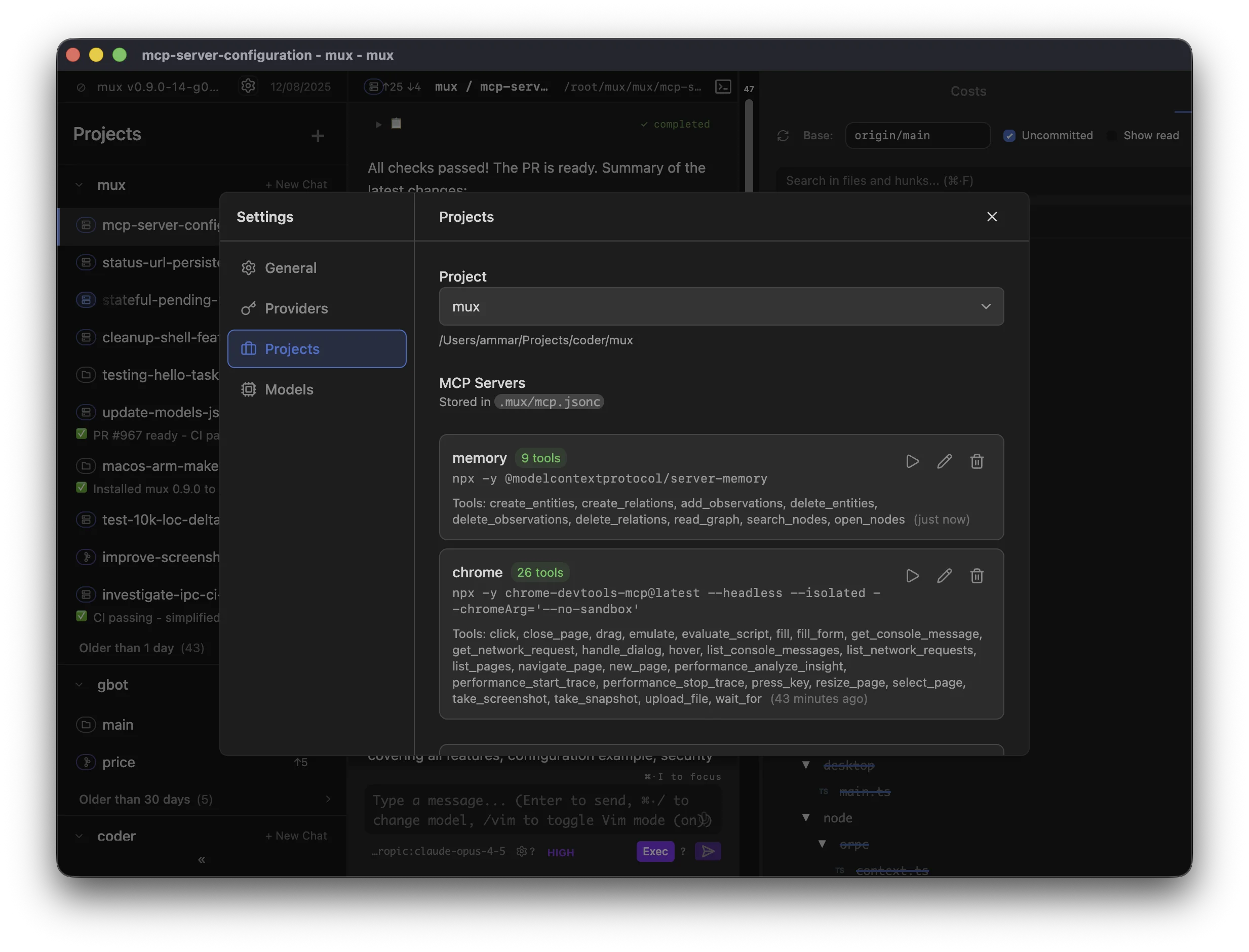
~/.mux/mcp.jsonc, repo overrides: ./.mux/mcp.jsonc):
Managing servers
Manage MCP servers in Settings → MCP (or by editing the config files directly).Scope
MCP servers have two scopes:- Configuration is global with optional repo overrides — Global config lives in
~/.mux/mcp.jsonc, with optional repo overrides in./.mux/mcp.jsonc - Runtime instances are per-workspace — Each workspace runs its own server processes, so state in one workspace doesn’t affect another
Per-workspace overrides
mux supports per-workspace MCP overrides (enable/disable servers and restrict tool allowlists) without modifying the shared config files (~/.mux/mcp.jsonc / ./.mux/mcp.jsonc).
These overrides are stored in a workspace-local file: .mux/mcp.local.jsonc.
- This file is intended to be gitignored (it contains local-only workspace preferences)
- When Mux writes this file, it also adds it to the workspace’s local git excludes (
.git/info/exclude) so it doesn’t get accidentally committed - Older mux versions stored these overrides in
~/.mux/config.json; mux will migrate them into.mux/mcp.local.jsoncon first use
Behavior
- Hot reload — Config changes apply on your next message (no restart needed)
- Isolated — Server processes run in the workspace directory with its environment
- Lazy start — Servers start when you send your first message in a workspace
- Idle timeout — Servers stop after 10 minutes of inactivity to conserve resources, then restart automatically when needed
Finding MCP Servers
Browse available servers at mcp.so or the MCP servers repository.Troubleshooting
If a server fails to start:- Test the command manually — Run the command in your terminal to verify it works
- Check dependencies — Ensure required packages are installed (
npx -ydownloads on first run) - Use the Test button — Settings → MCP shows connection errors inline